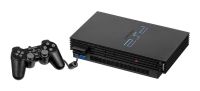
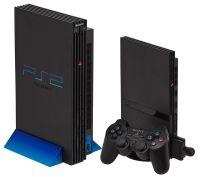
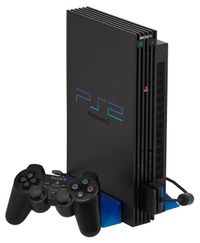
PS2 Emulator: The Complete Guide to Playing PS2 Games on PC
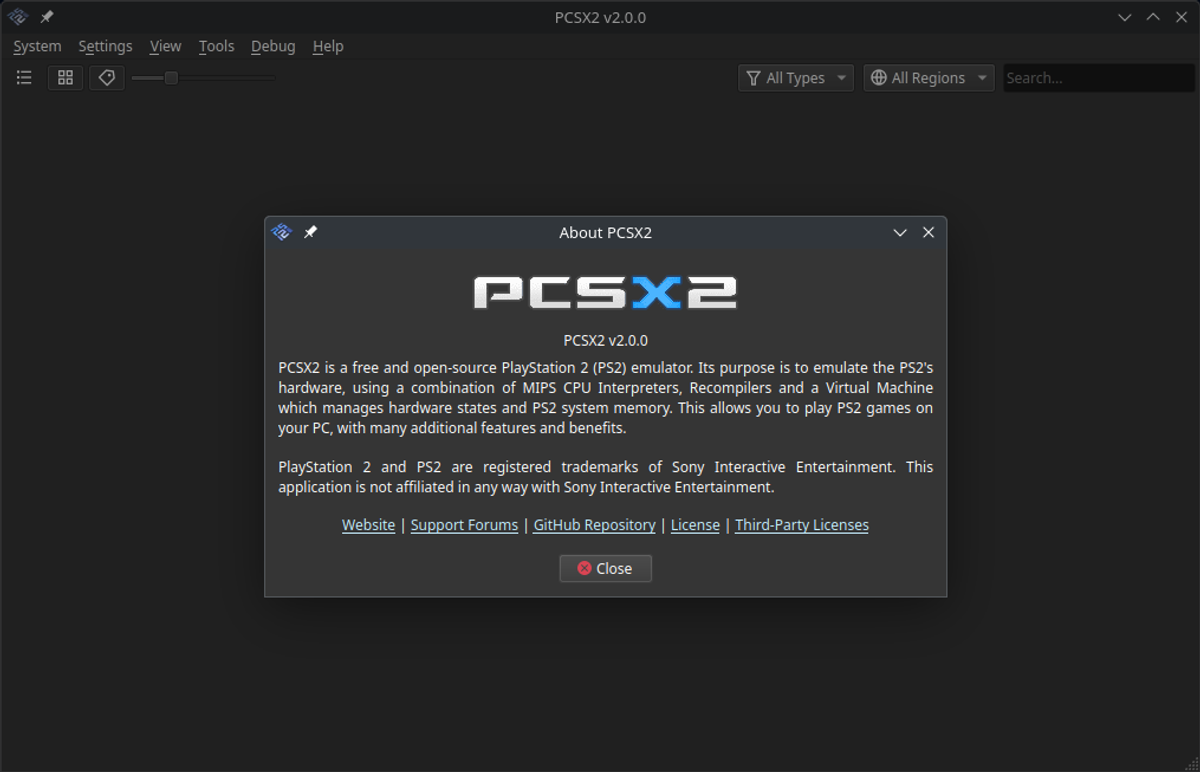
The PlayStation 2 sold more than 155 million units, and its library of roughly 4,000 games is the biggest any console has ever had — but a lot of that hardware is now over twenty years old. Emulation is how most people play PS2 today: the entire console recreated in software, running on an ordinary PC, laptop or even a phone. This guide covers everything — which emulator to use, what hardware you need, how to set it up properly, and the legal position on doing any of it.
What Is a PS2 Emulator?
An emulator is a program that pretends to be the console. The PS2's unusual architecture — the Emotion Engine CPU, the dual Vector Units, the Graphics Synthesizer, the SPU2 sound chip — has to be recreated instruction-by-instruction in software, which is why PS2 emulation took years to mature and still demands a decent PC. Once emulated, the console behaves like the real thing: it boots the PS2 BIOS, reads disc images (see PS2 ISOs explained) and runs games — usually at far higher resolutions than the original hardware ever managed.
Emulation isn't just convenience. On real hardware most PS2 games run at 480i; an emulator can render them at 1080p, 1440p or 4K, with anti-aliasing, texture filtering, save states, fast-forward and widescreen hacks the console never had. For many games it is simply the best way to experience them in the 2020s.
PCSX2 — The Emulator Everyone Uses
PCSX2 is the PS2 emulator. It's been in development since 2002, is free and open source, and is compatible with virtually the entire PS2 library — the team rates around 99% of games as playable. Almost every guide, patch and compatibility note you'll find online assumes PCSX2.
- Platforms: Windows, Linux and macOS. Windows is the best-supported; the macOS build is newer and occasionally lags behind.
- Cost: free and open source. Anything charging money for a PS2 emulator is repackaging PCSX2.
- Accuracy: the modern builds are remarkably faithful — speedrunners and tool-assisted players use it for its determinism and frame-exact save states.
There are two other PS2 emulators worth knowing about, both far behind PCSX2: Play!, a high-level emulator that runs without a BIOS file but has poor compatibility, and DobieStation, an accuracy-focused project that's mostly a research tool. If you just want to play games, the answer is PCSX2.
System Requirements
PS2 emulation is CPU-hungry. The Emotion Engine and Vector Units are the hard parts; the GPU requirements are modest by comparison. PCSX2's own guidance, translated into practical terms:
| Tier | CPU | GPU | Expectation |
|---|---|---|---|
| Minimum | 4-thread CPU with AVX2, ~1500 single-thread PassMark | Any recent iGPU / GTX 1050 class | Most games at native resolution, some slowdown in heavy titles |
| Recommended | 6+ thread CPU, ~2100 single-thread PassMark | GTX 1650 / RX 570 class or better | Everything playable at 3–4× internal resolution |
| Comfortable | Modern 8-thread CPU, 2600+ single-thread | RTX 3060 / RX 6600 class | 4K rendering, HD texture packs, heavy games at full speed |
Single-threaded performance matters most — a newer mid-range CPU beats an old high-core-count Xeon. 8GB of RAM is enough; 16GB if you're multitasking. Games on an SSD load noticeably faster than the PS2's real drive ever did.
Setting Up PCSX2 Step by Step
- Download the latest stable or nightly build of PCSX2 from the official site (pcsx2.net). The installer and the portable build work identically.
- Get a PS2 BIOS file by dumping it from your own console — the emulator will not boot without one, and PCSX2 legally cannot ship it.
- First launch: point PCSX2 at your BIOS folder and pick a region — the BIOS version you dumped decides which region's interface you get.
- Add a games folder, drop in your disc images (ISO, BIN/CUE or CHD), and double-click a game to boot it.
- Plug in a controller — PCSX2 auto-configures Xbox, PlayStation and most PC pads.
The setup wizard defaults are genuinely good. Enable "Safe Preset" if a game misbehaves; disable it if you're struggling for speed.
Graphics Settings That Matter
This is where emulation earns its keep. Inside Settings → Graphics:
- Renderer: Vulkan is the best default on modern GPUs; use Direct3D 12 as fallback, OpenGL on Linux/older cards. Software renderer is accurate but slow — a debugging tool, not a way to play.
- Internal resolution: 3× Native (~1080p) or 4× (~1440p) is the sweet spot on recommended hardware. Some games get graphical glitches at anything above native — drop to 2× for those.
- Widescreen patches: under Settings → Emulation, "Enable Widescreen Patches" renders many games in true 16:9. Coverage is excellent for popular titles.
- Anti-aliasing & filtering: MSAA 4–8× cleans up edges nicely. Bilinear texture filtering helps; anisotropic 16× is basically free on any discrete GPU.
- Deinterlacing: PS2 games are interlaced by default. "Adaptive" deinterlacing looks best on most titles.
Controllers for Emulation
Almost any USB or Bluetooth gamepad works — Xbox Series, DualShock 4, DualSense and Switch Pro pads all map automatically. Purists can use a real DualShock 2 through a cheap PS2-to-USB adapter, which even preserves the pressure-sensitive face buttons PCSX2 supports in games that used them (MGS2/3, Gran Turismo 4). If a game's menus demand analog-pressure input and you can't proceed, that's usually why.
Emulation on Android and Other Devices
On phones, the landscape changed after AetherSX2 was abandoned — NetherSX2, the community patch built on it, is the de-facto Android PS2 emulator. You'll want a flagship-class chip (Snapdragon 865 or better) for playable speeds. RetroArch's LRPS2 core wraps PCSX2 for a unified front-end. On Steam Deck, PCSX2 runs brilliantly in desktop mode or through EmuDeck — the Deck handles most of the library at 3× resolution.
Performance Tips and Common Problems
- Slow motion: almost always CPU-bound. Lower internal resolution first, then try the MTVU speedhack (enabled by default) — it's a rare safe speedhack.
- Graphical corruption at high resolutions: per-game fixes ship inside PCSX2's automatic game fixes — just update to a current build.
- Black bars / wrong aspect: enable widescreen patches, or set the aspect ratio override in per-game settings.
- Stuttering audio: switch the SPU2-X mix to "TimeStretch" and increase latency slightly.
Is PS2 Emulation Legal?
Emulators themselves are legal — courts have upheld clean-room emulation repeatedly. The grey area is the game files and BIOS: dumping the BIOS and ISOs from your own console and discs is generally defensible personal archiving; downloading them from the internet almost always isn't, regardless of whether you own the disc. PCSX2 takes this seriously, which is why neither BIOS nor games are bundled. For the hardware side of the story, see our complete PS2 guide, and for what to actually play once you're set up, the full PS2 games archive and rated list are the places to start.